
AI, built in
AI tools
AI built into most modules, plus Ask Keel for questions about your workspace, included on every paid plan: draft policies and risks, profile vendors, answer questionnaires, and summarize evidence.
Keel’s AI is built into most modules as concrete, credit-metered actions a compliance owner actually runs. Each one produces an editable starting point, and you review it before it counts. Ask Keel adds a place to ask questions: it answers from your workspace’s own records and links the ones it cites.
The problem
Compliance is full of blank pages
A new policy, a fresh risk register, a vendor you know nothing about, a 200-question questionnaire. The work isn’t hard so much as it’s a lot of starting-from-nothing, exactly what AI grounded in your own data should absorb.
Capabilities
What AI tools does
Ask Keel
Ask a plain-language question about your workspace, such as which controls have no evidence linked or which vendors are overdue for review, and get an answer that links the records it cites, so you can check it against them. It is told to answer only from records it read and to say so when they do not answer the question, and an answer that cites none of them is not shown. It can suggest a task as a prefilled form, and nothing changes until you submit it.
Policy drafting & cleanup
Draft a framework-mapped policy from just its name, or import a messy document and have it rewritten into clean Markdown you approve and export.
Risk drafting
Generate concrete, pre-scored risks from your business context to seed your register: each an editable candidate, never boilerplate.
Vendor profiles from a name and URL
Paste a vendor’s website and get a drafted profile to review: a category, a one-line description, likely data access, and a suggested criticality tier with its rationale. Inferred from what the model knows about the company, not read from their site.
Questionnaire assist
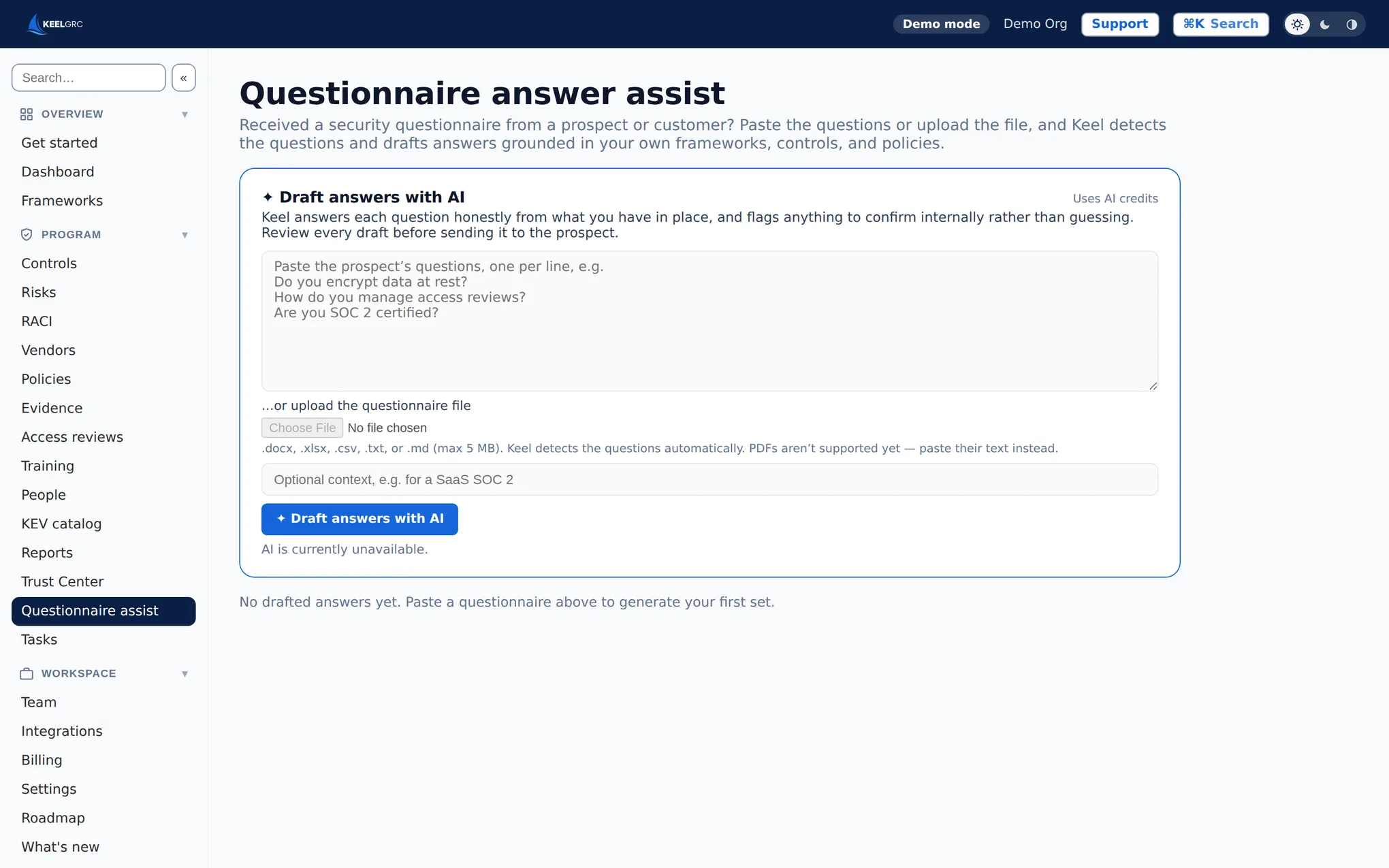
Answer inbound questionnaires from your own controls and policies, and assemble structured, auto-scored questionnaires to send vendors.
Control implementation guidance
For any control, get plain-English, step-by-step implementation guidance and the exact evidence to collect, so “where do I start” becomes a checklist.
Gap analysis, summaries & remediation
Compare your policy set to a framework to flag gaps, write a board-ready audit-readiness summary over your live posture, turn a failing control into a task list, summarize evidence and review whether a control’s evidence is sufficient, and generate trust-center copy.
Outcomes
Why it matters
- Replace blank pages with editable first drafts
- Answer questionnaires and find gaps from your own controls and policies
- Stay in control: every AI draft is reviewed before it counts
- Pay only for what you use, with credits included on every paid plan
Get audit-ready, and prove it
AI tools is one module of a full GRC platform: controls crosswalked across every framework, so you collect evidence once and comply everywhere. Start free, no credit card, no sales call.
Frequently asked questions
Is the AI accurate, or does it hallucinate?
Every AI action produces an editable draft, and you review and approve it before anything is finalized. Questionnaire answers, gap analysis and evidence reviews work from your own controls, policies and evidence; a vendor profile is inferred from what the model already knows about the company. The AI proposes, you decide. Ask Keel is instructed to answer only from records it read, must cite at least one of them, and links the ones it cites so you can check the answer against them. It never changes a record itself.
How is AI priced?
AI actions are credit-metered, with a monthly allotment included on every paid plan and top-up credit packs available when you need more.
Which parts of Keel use AI?
Ask Keel, the assistant you can question about your workspace, plus policies, risk register, vendor risk, questionnaire assist, controls guidance, policy-gap and readiness analysis, evidence summaries and sufficiency review, remediation task generation, and trust-center copy.
Does my data train a public model?
No. Keel’s AI features use Anthropic by default, and customer data submitted to Anthropic is not used to train any model. A workspace can switch AI off entirely, and then nothing is sent. Which settings could change the provider, and exactly what Ask Keel sends, are set out at keelgrc.com/trust/ask-keel/.
Related features: Policy management · Risk register · Vendor risk management · Security questionnaire automation
Works with: SOC 2 · ISO/IEC 27001
In the docs: AI tools & credits